
If your AC fan stop after power outage, you’re probably wondering why your air conditioner isn’t cooling your home. A power outage can sometimes cause your AC system to shut down because of a tripped circuit breaker, power surge, thermostat issue, blown fuse, damaged capacitor, or electrical problem.
The good news is that some issues are simple to troubleshoot. However, if your AC fan is not working after a power outage and basic checks don’t restore operation, the system may have electrical or mechanical damage that requires professional AC repair.
Before troubleshooting, turn off the system if you notice burning smells, unusual noises, smoke, or visible electrical damage. Never attempt electrical repairs yourself.
7 Quick Fixes When Your AC Fan Stops After a Power Outage
1. Check the Power Supply to Your AC
The first thing to check when your AC fan stops after a power outage is whether your air conditioner is receiving power.
A power interruption or surge can affect the electrical components that control your HVAC system. Check whether your thermostat has power and whether the outdoor AC unit is receiving electricity.
If your thermostat is completely blank or the outdoor unit has no power, the issue may be electrical.
- Avoid opening electrical panels or testing live voltage unless you are qualified to do so. Electrical problems should be diagnosed by a licensed HVAC professional.
2. Check for a Tripped AC Circuit Breaker
A tripped circuit breaker is one of the most common reasons an AC stops working after a power outage.
A power surge can cause the breaker protecting your air conditioner to trip, cutting power to the system.
Check your electrical panel for a breaker that appears to be in the middle position or switched to “OFF.”
If you’re comfortable doing so, you can reset the breaker:
- Turn the AC breaker completely to OFF.
- Wait a few seconds.
- Move it firmly back to ON.
- Set your thermostat to COOL and check whether the AC starts.
Do not repeatedly reset a breaker that keeps tripping. A breaker that trips again may indicate a short circuit, damaged component, compressor problem, or another electrical issue that requires professional attention.
3. Check the Outdoor Disconnect and Condenser Unit
Your outdoor AC condenser typically has a disconnect near the unit. After a power outage, this disconnect or another electrical component may prevent the outdoor unit from operating.
Look around the outdoor condenser for obvious signs of damage, such as:
- Burn marks
- Melted wiring
- Burning smells
- Damaged components
- Debris inside or around the unit
Do not remove electrical covers or attempt to repair wiring yourself.
If the AC outdoor fan is not running while the system is calling for cooling, a technician may need to inspect the condenser, capacitor, contactor, wiring, and fan motor.
For detailed steps on cleaning your outdoor AC unit, refer to this comprehensive guide.
4. Check and Reset Your Thermostat
A power outage can sometimes cause a thermostat to lose power or reset its settings.
Check your thermostat and make sure:
- The display is on.
- The thermostat is set to COOL.
- The temperature is set below the current room temperature.
- The fan is set to AUTO or ON, depending on your preference.
- The thermostat is responding when you change the settings.
If your thermostat uses batteries and the display is blank, try replacing the batteries.
You can also try a simple thermostat reset:
- Turn the HVAC system off.
- Wait several minutes.
- Turn the thermostat back to COOL.
- Set the desired temperature.
- Wait several minutes to see if the system starts.
If the thermostat is working but your AC fan won’t turn on, the problem may be elsewhere in the HVAC system.
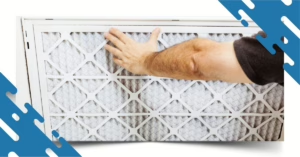
5. Check the Air Filter and Airflow
A dirty or clogged AC air filter can restrict airflow and place additional strain on your HVAC system.
Check the filter for:
- Dust
- Dirt
- Pet hair
- Debris
- Excessive buildup
If the filter is dirty, replace it with the correct size and type recommended for your system.
A clean air filter helps maintain proper airflow, improves indoor air quality, and allows your air conditioner to operate more efficiently.
For many homes, replacing the filter every 1–3 months is a good general guideline. Homes with pets, allergies, or heavy dust may require more frequent replacement.
Always turn off the HVAC system before replacing or cleaning the filter.
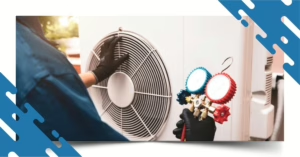
6. Inspect the Outdoor AC Fan for Debris or Visible Damage
If the AC condenser fan is not running after a power outage, check the area around the outdoor unit for leaves, grass, branches, and other debris.
Debris can restrict airflow or physically interfere with the fan blades.
With the system turned OFF, inspect the area around the condenser and remove loose debris that is safely accessible.
Look for:
- Bent fan blades
- Cracked blades
- Leaves or branches blocking the unit
- Excessive dirt
- Signs of physical damage
Never place your hands near the fan while the system has power.
If the fan blades appear damaged or the fan still won’t operate after clearing debris, stop troubleshooting and contact an HVAC professional.
7. Call a Professional HVAC Technician
If you’ve checked the power, breaker, thermostat, filter, and outdoor unit but your AC fan still stops after a power outage, the problem may involve a component that requires professional diagnosis.
A power surge can potentially damage electrical components such as the:
- AC capacitor
- Fan motor
- Contactor
- Control board
- Wiring
- Blower motor
- Compressor
A failed AC capacitor, for example, can prevent the outdoor fan or compressor from starting. A damaged fan motor can also cause the condenser fan to stop operating.
These components require proper testing and electrical knowledge. Avoid repeatedly turning the system on and off if you suspect an electrical problem.
Why Does an AC Fan Stop After a Power Outage?
There are several possible reasons your AC fan stops after a power outage, including:
- Power Surge: When electricity returns after an outage, a power surge can affect sensitive HVAC electrical components.
- Tripped Circuit Breaker: The AC breaker may trip to protect the system from an electrical overload.
- Thermostat Problem: The thermostat may lose power, reset, or fail to communicate properly with the HVAC system.
- Failed Capacitor: An AC capacitor helps provide the electrical boost needed to start certain motors. A damaged capacitor can prevent the fan motor or compressor from starting.
- Damaged Fan Motor: A power surge or existing wear can contribute to fan motor failure.
- Electrical Wiring or Control Board Damage: A surge may damage wiring, relays, contactors, or the control board.
- Restricted Airflow: A severely clogged air filter or blocked outdoor condenser can reduce airflow and cause the system to operate improperly.
What If My AC Is Running but the Fan Isn't Spinning?
If you hear your AC running but the outdoor fan isn’t spinning, turn the system off and contact an HVAC professional.
A non-spinning condenser fan can be caused by a failed capacitor, faulty fan motor, electrical issue, or control problem. Continuing to operate the system under these conditions may cause additional damage, particularly if the compressor continues running without adequate condenser airflow.
What If My AC Is Not Blowing Air After a Power Outage?
If your AC is not blowing air after a power outage, first check the thermostat, circuit breaker, and air filter.
If the indoor blower isn’t running, the problem could involve the blower motor, capacitor, control board, thermostat, or another electrical component.
If the thermostat is calling for cooling but you don’t feel air coming from the vents, professional HVAC diagnosis may be necessary.
Should I Reset My AC After a Power Outage?
In some situations, resetting the AC breaker and thermostat can restore normal operation.
However, a reset should not be treated as a solution if the breaker repeatedly trips, the system makes unusual noises, smells burnt, or shows visible electrical damage.
Repeatedly resetting the system could make an existing electrical problem worse.
How to Protect Your AC From Future Power Outages
Power outages and electrical surges can be hard on HVAC equipment. You can help protect your system by:
- Scheduling regular AC maintenance.
- Replacing dirty air filters.
- Keeping the outdoor condenser clear of debris.
- Having electrical connections inspected during maintenance.
- Asking an HVAC professional about surge protection.
- Addressing unusual noises or electrical problems promptly.
- Keeping your thermostat and HVAC system properly maintained.
Regular AC maintenance can help identify worn components before they become major problems.
When Should You Call an HVAC Professional?
Call a professional HVAC technician if:
- Your AC fan still won’t turn on after basic troubleshooting.
- The circuit breaker keeps tripping.
- You smell burning or melted plastic.
- You hear buzzing, grinding, or unusual noises.
- The outdoor fan isn’t spinning.
- The AC starts and stops repeatedly.
- Your home isn’t cooling properly.
- You suspect a damaged capacitor, motor, wiring, or control board.
An HVAC technician can safely test the electrical and mechanical components of your system and determine whether you need an AC repair, component replacement, or additional electrical diagnosis.
If your AC fan stops after a power outage, don’t ignore the problem. A simple tripped breaker or thermostat issue may be easy to correct, but power-related HVAC problems can also involve capacitors, fan motors, control boards, wiring, or other electrical components.
When basic troubleshooting doesn’t get your AC running again, professional diagnosis can help protect your system and get your home comfortable again.
Need AC repair in Ocala or surrounding areas? Contact Iron Shield Heating & Air for professional HVAC service and dependable AC repair.
Frequently Asked Questions
Your AC fan may stop after a power outage because of a tripped breaker, power surge, thermostat issue, failed capacitor, damaged fan motor, control board problem, or another electrical issue.
Your AC may not restart after an outage if the breaker tripped, the thermostat lost power, or an electrical component was damaged by a power surge. Check the thermostat and breaker first. If the system still doesn’t work, contact an HVAC professional.
If your AC outdoor fan is not running, possible causes include a failed capacitor, fan motor problem, electrical issue, contactor failure, or control problem. Turn the system off and have it professionally inspected.
Yes. Electrical disturbances associated with a power outage can contribute to damage to HVAC electrical components, including capacitors. However, a capacitor can also fail because of normal wear and age.
No. If the outdoor condenser fan isn’t operating while the system is running, turn the AC off and contact an HVAC professional. Continuing to operate the system may lead to additional damage.
Once power has been restored and you have confirmed that there are no obvious electrical problems, you can generally check your thermostat and system. Some HVAC systems may have built-in delays before restarting. If your system doesn’t start normally, avoid repeatedly cycling it and call a professional.
A severely clogged air filter can restrict airflow and contribute to HVAC problems, but it isn’t usually the only reason an AC fan suddenly stops immediately after a power outage. If replacing the filter doesn’t solve the problem, further diagnosis may be needed.
A general guideline is every 1–3 months, but the ideal schedule depends on your home, filter type, pets, indoor air quality, and system usage.
Related Blog Posts
Read more articles and expert advice related to this service.